Precise. Reliable.
A schedule
that holds.
Menira is Swiss scheduling for construction projects. Tasks, dependencies and milestones – in one place, print-ready for every meeting.
No credit card. Free to use long-term.
- Hosted in Switzerland
- GDPR-compliant
- No minimum term
From the first task to the signature
-
Create the schedule
Add tasks and milestones – your schedule takes shape.
-
Set dependencies
Link tasks. Every change finds its place, the critical path stays visible.
-
Export, print-ready
As a PDF with your logo – for client, meeting and site.
What makes a schedule hold.
One trade, one row
When a trade returns to site several times, it keeps its row in the schedule – milestone included.
Turn over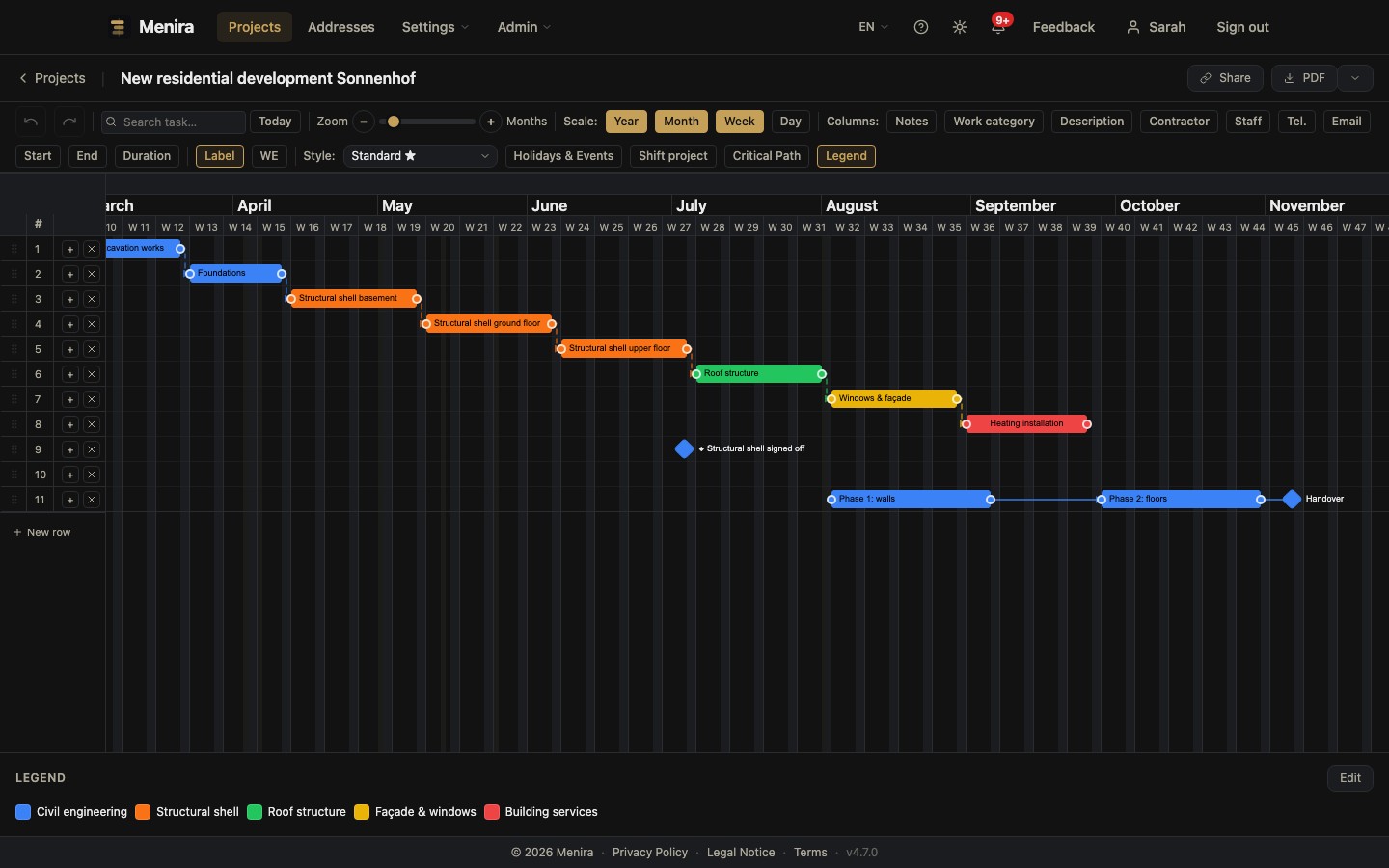
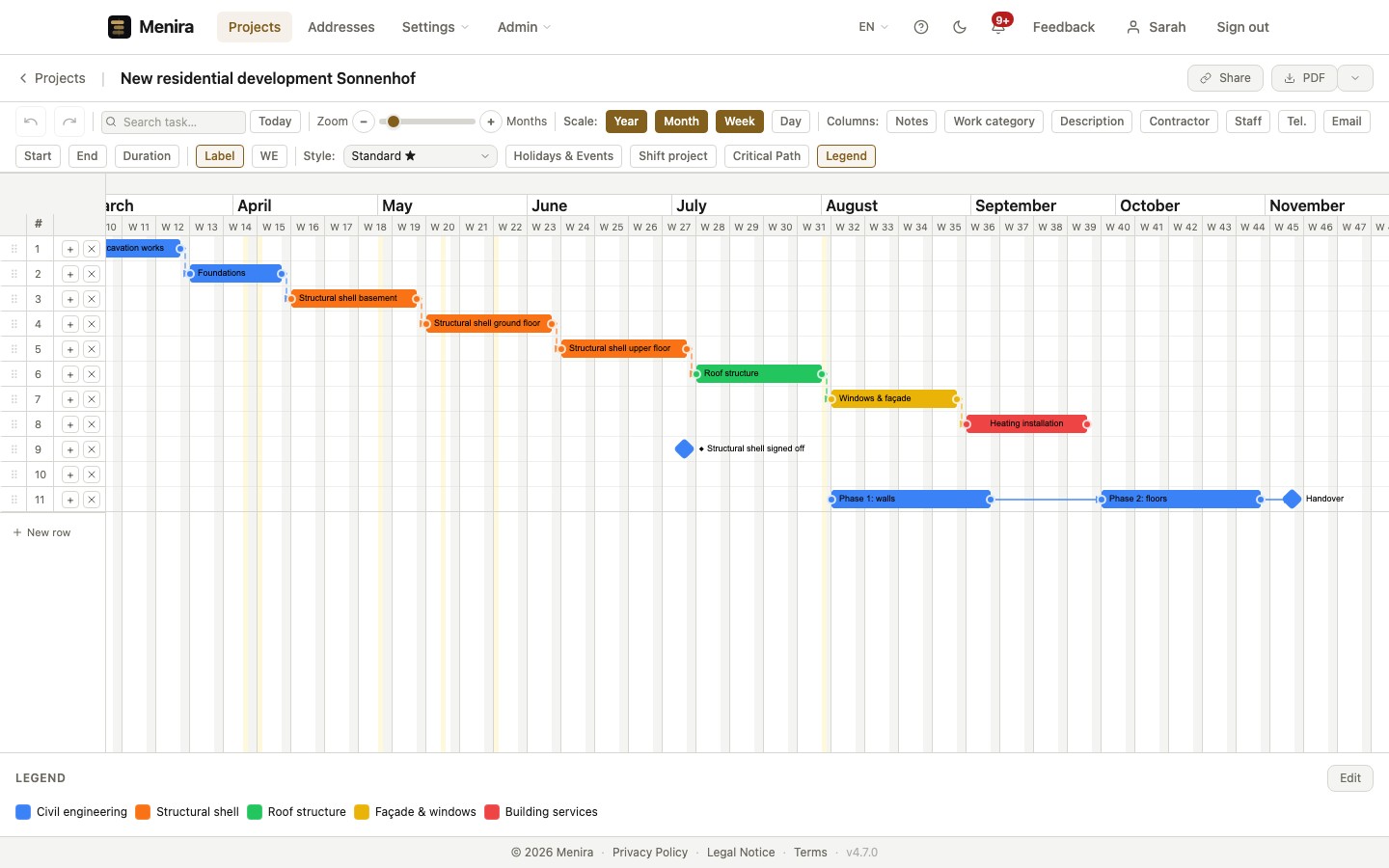
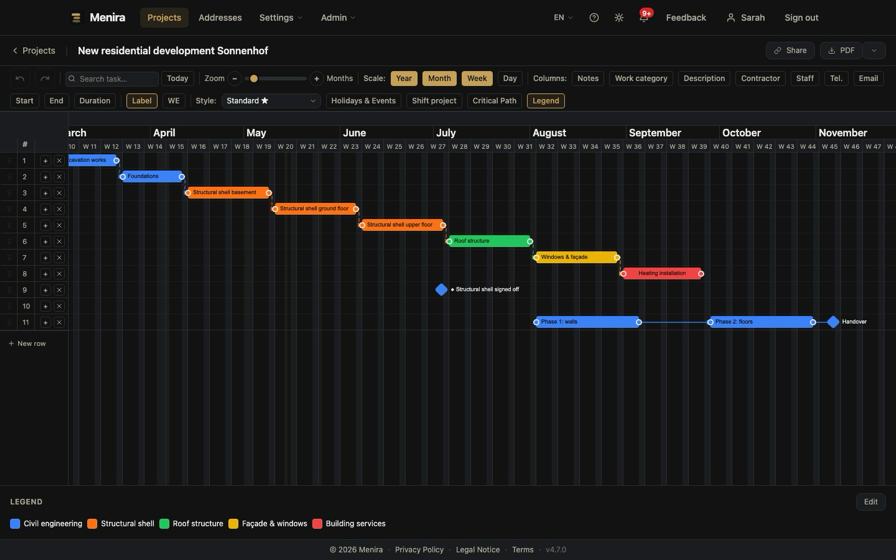
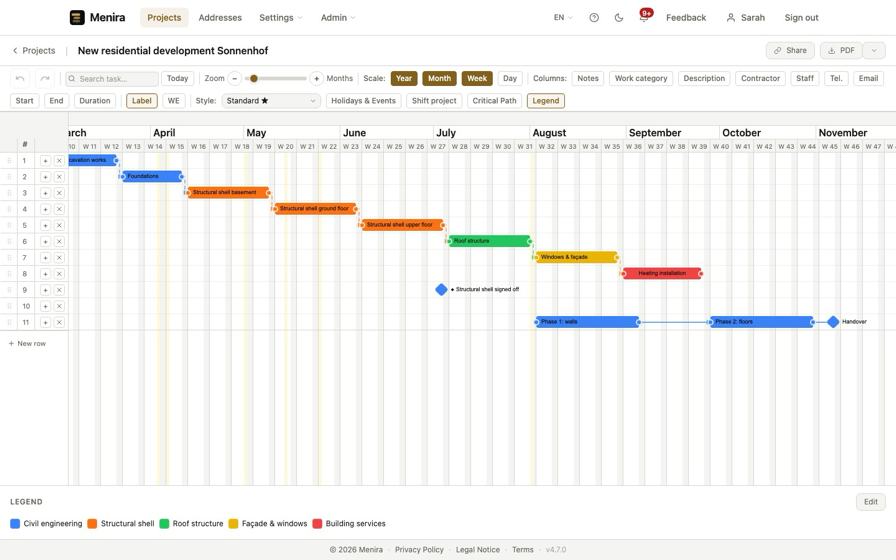
A trade comes back as the build progresses: first fix, second fix, handover. In Menira these visits are separate bars on the same row, with the handover as a milestone. Each bar can be dragged and linked on its own. The schedule runs as long as there are trades – not as long as there are visits.
Dependencies & critical path
Every change finds its place. Sequence and critical path stay readable.
Turn over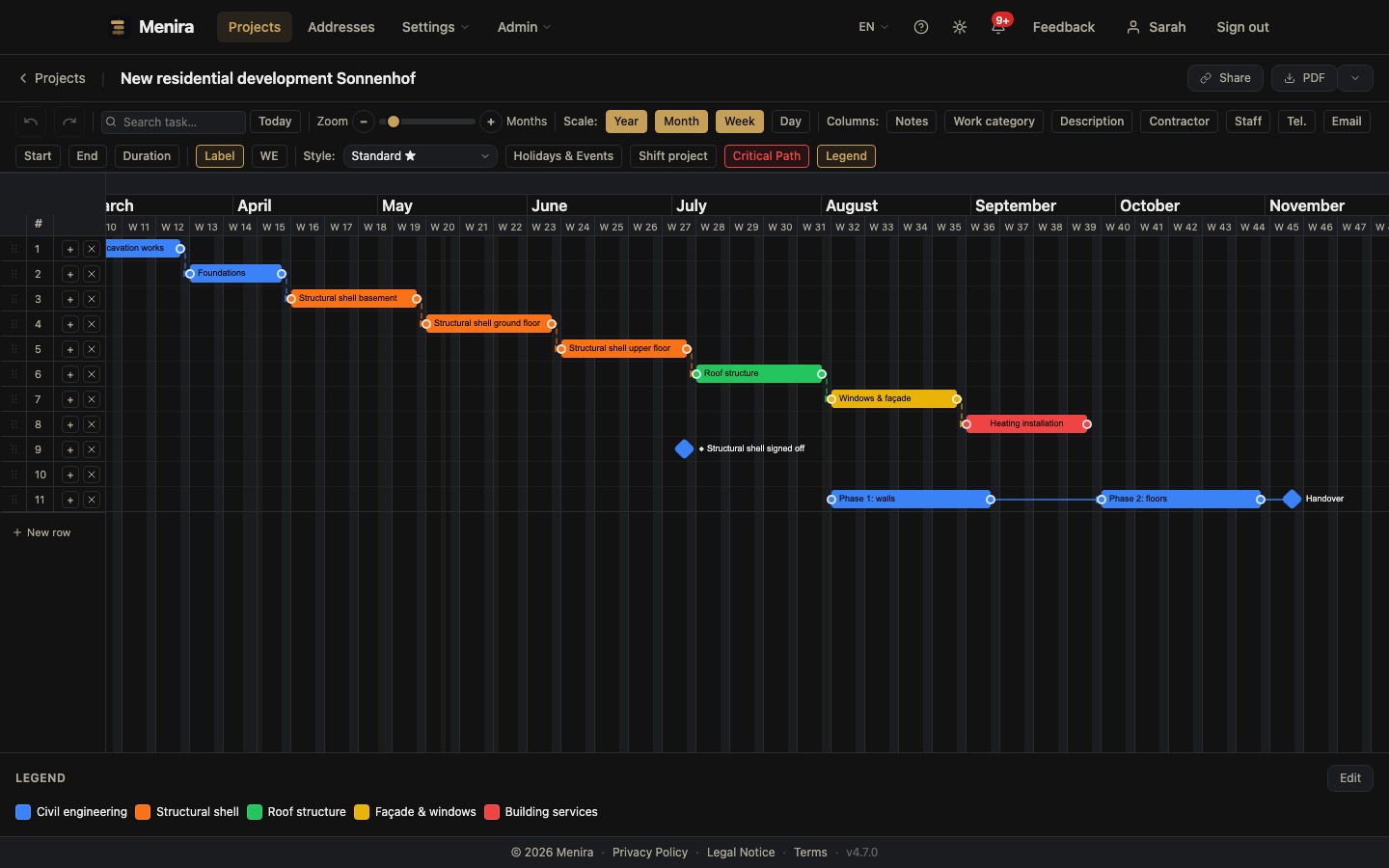
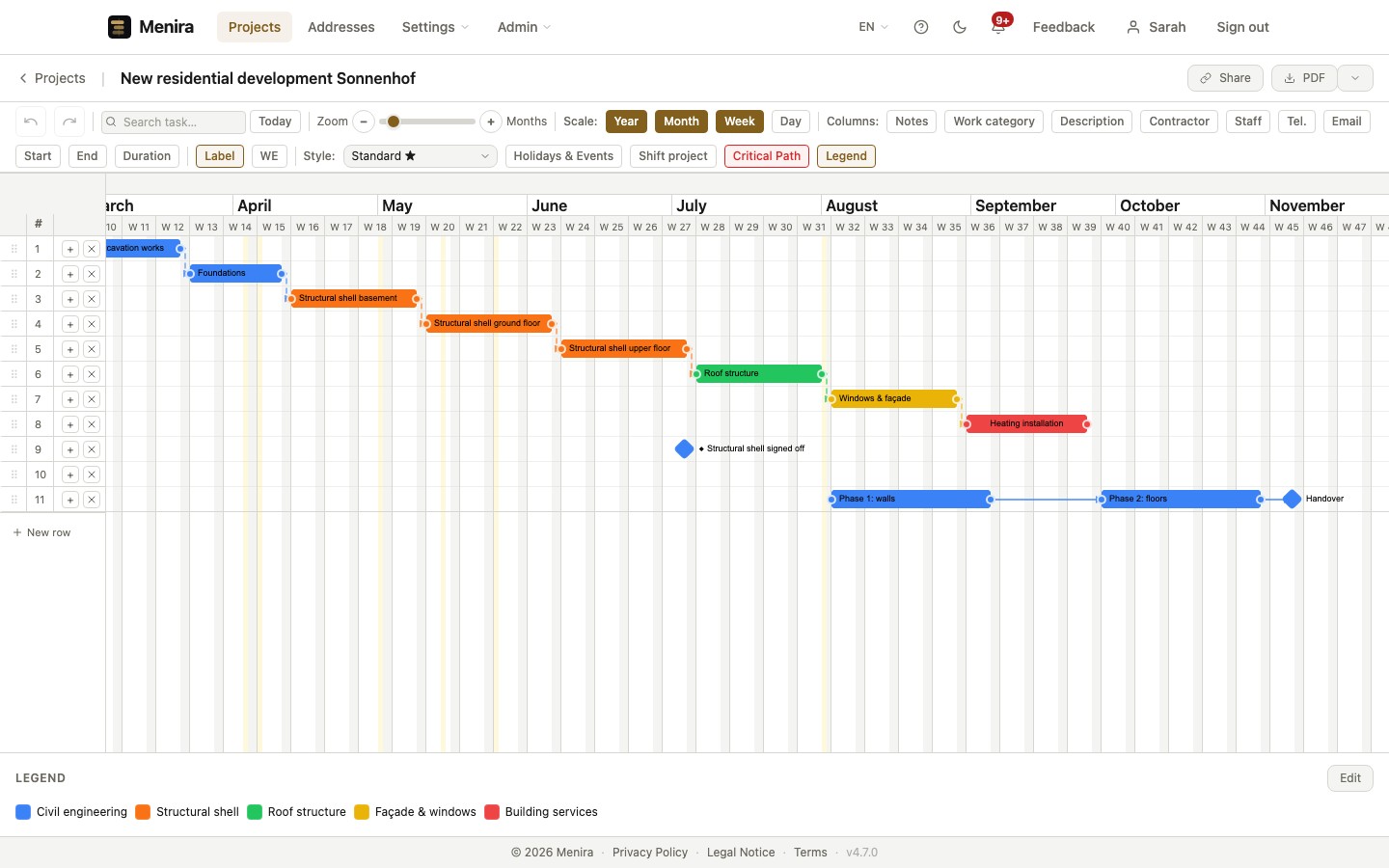
Define dependencies between tasks and see at a glance which ones drive the final deadline. Move a task and dependent bars shift with it – the critical path stays visible at all times.
Cost Classification
Import your cost classification and assign your tasks to it.
Turn over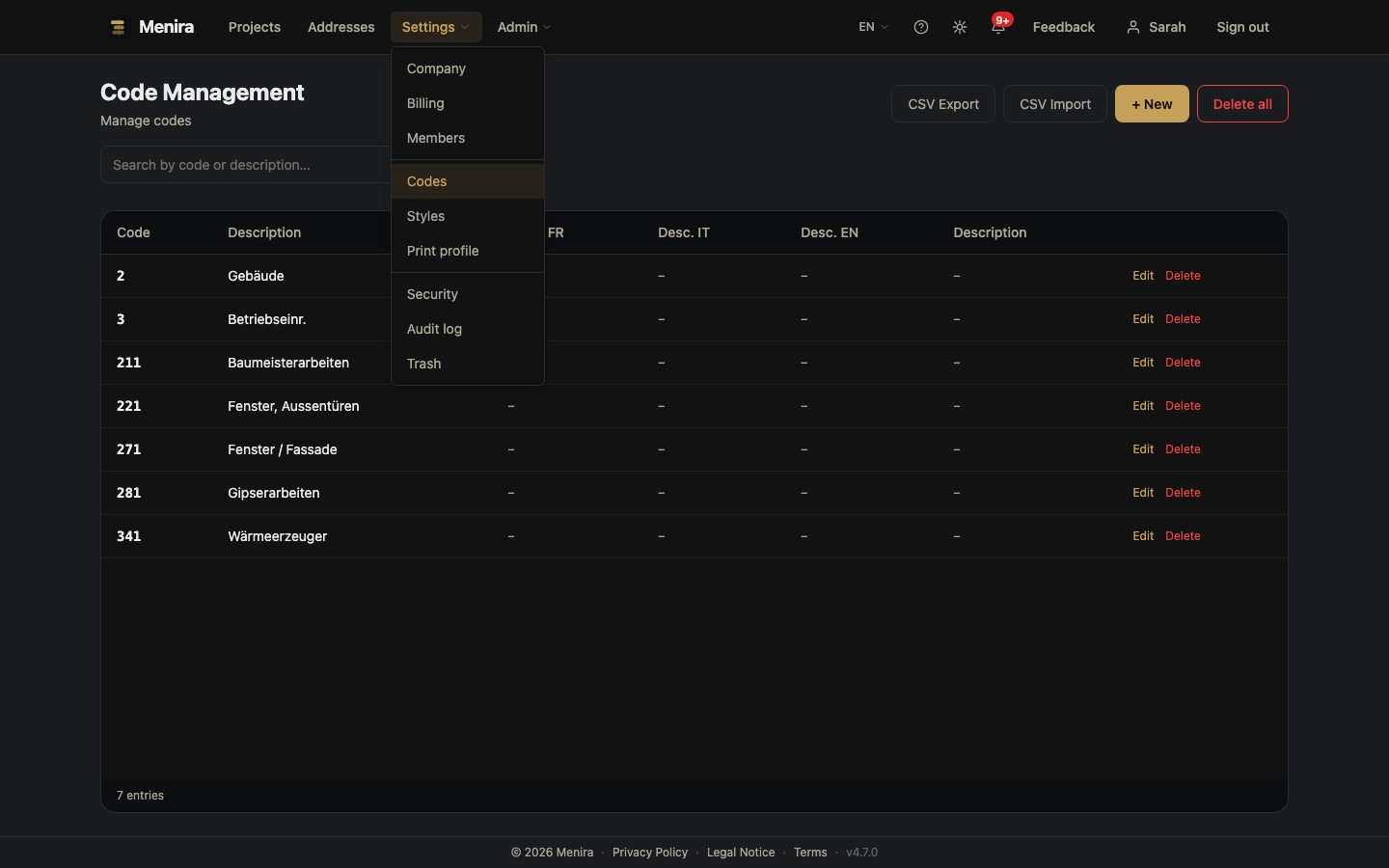
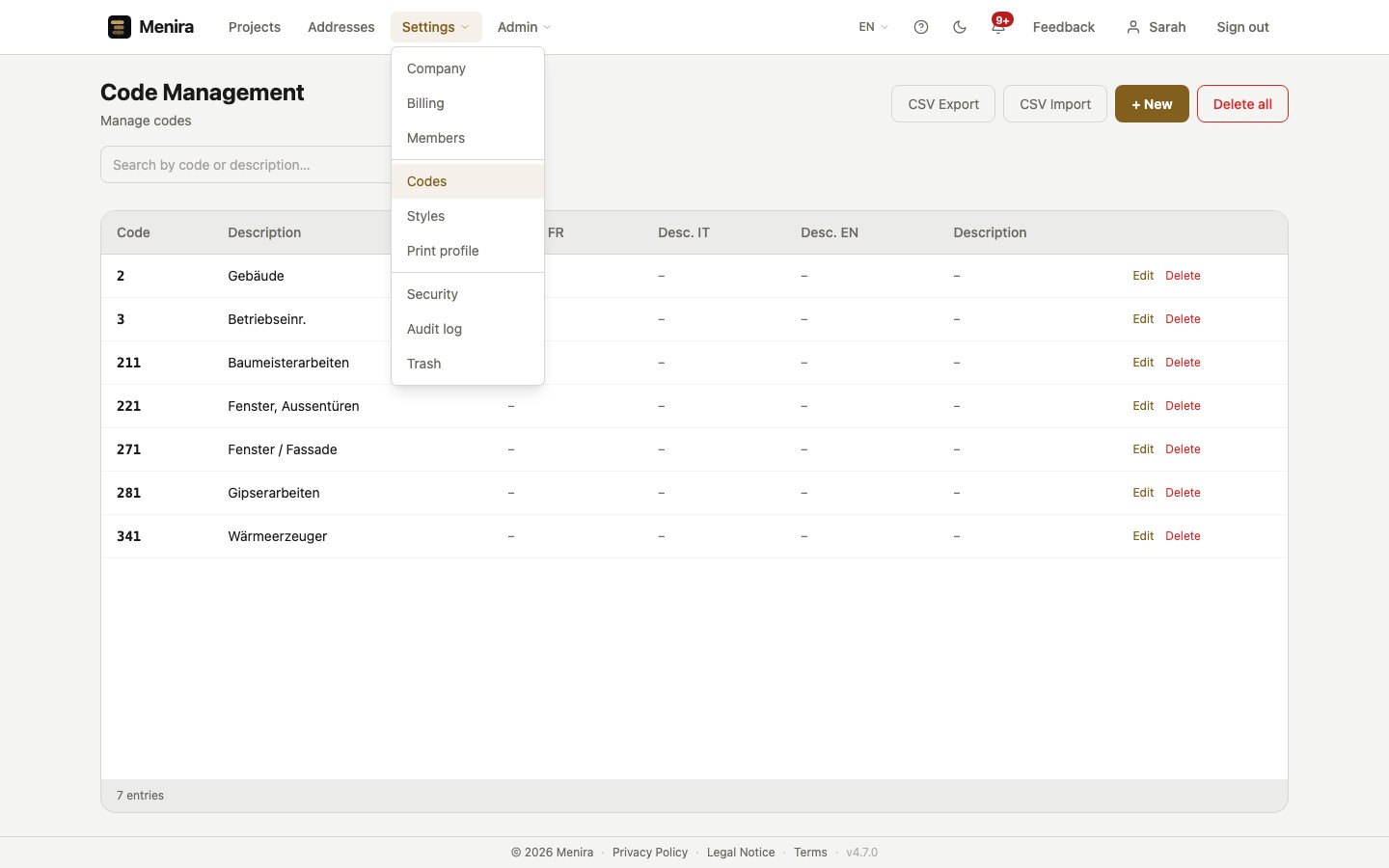
Import your cost classification and assign each task to a cost group, directly in the Gantt chart. Costs and dates stay addressable through the same labels, while the schedule follows the construction sequence – not the cost order.
PDF Export
Print-ready, with your logo – for client, meeting and site.
Turn over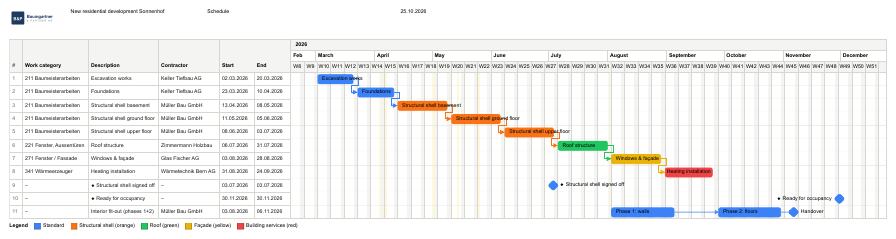
Export your schedule as a print-ready PDF – with your own logo, header and footer. The paper format follows from column widths and date range; Menira locks formats that are too small, so the print is not quietly shrunk to fit. For the client, the meeting and the site.
Style editor
Your schedule in your company's look – colours, patterns, labels.
Turn over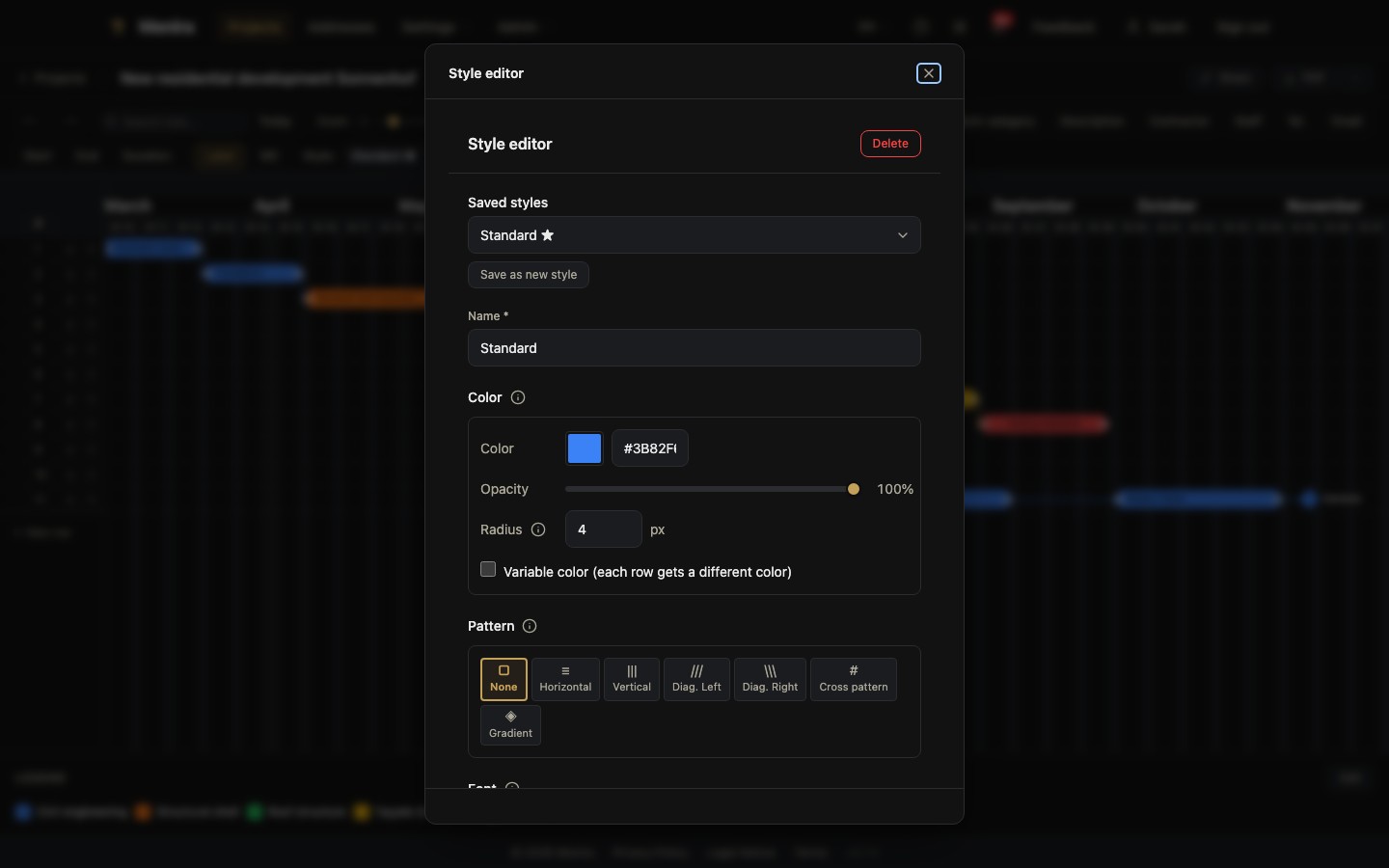
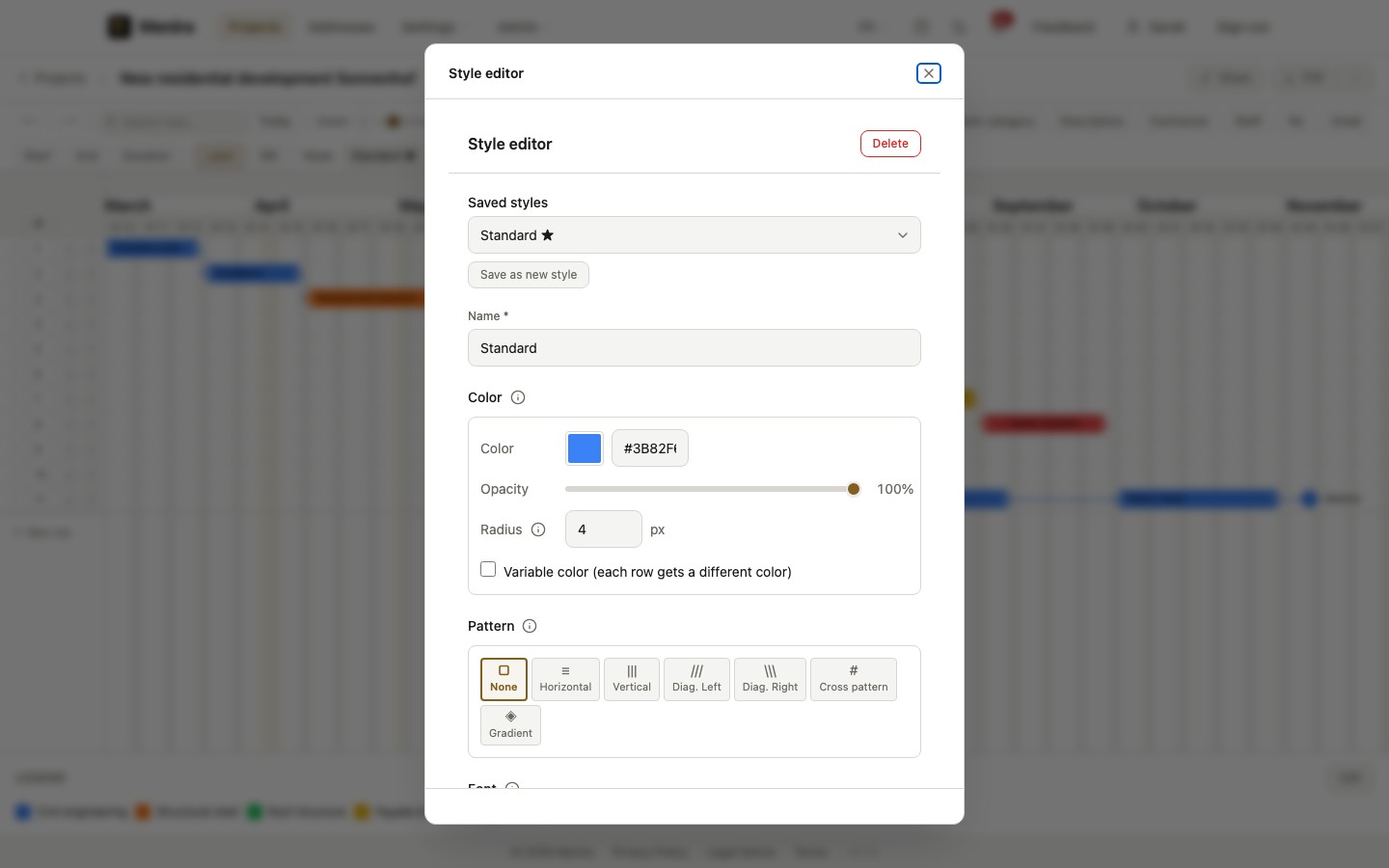
Colour, pattern, border and label are set per bar – to tell trades apart, for instance, or to bring out the client's date. Recurring styles are saved, so the next schedule looks like the last one. Each contractor carries their colour across every project.
Team Collaboration
Together on the same schedule – without overwriting each other's work.
Turn over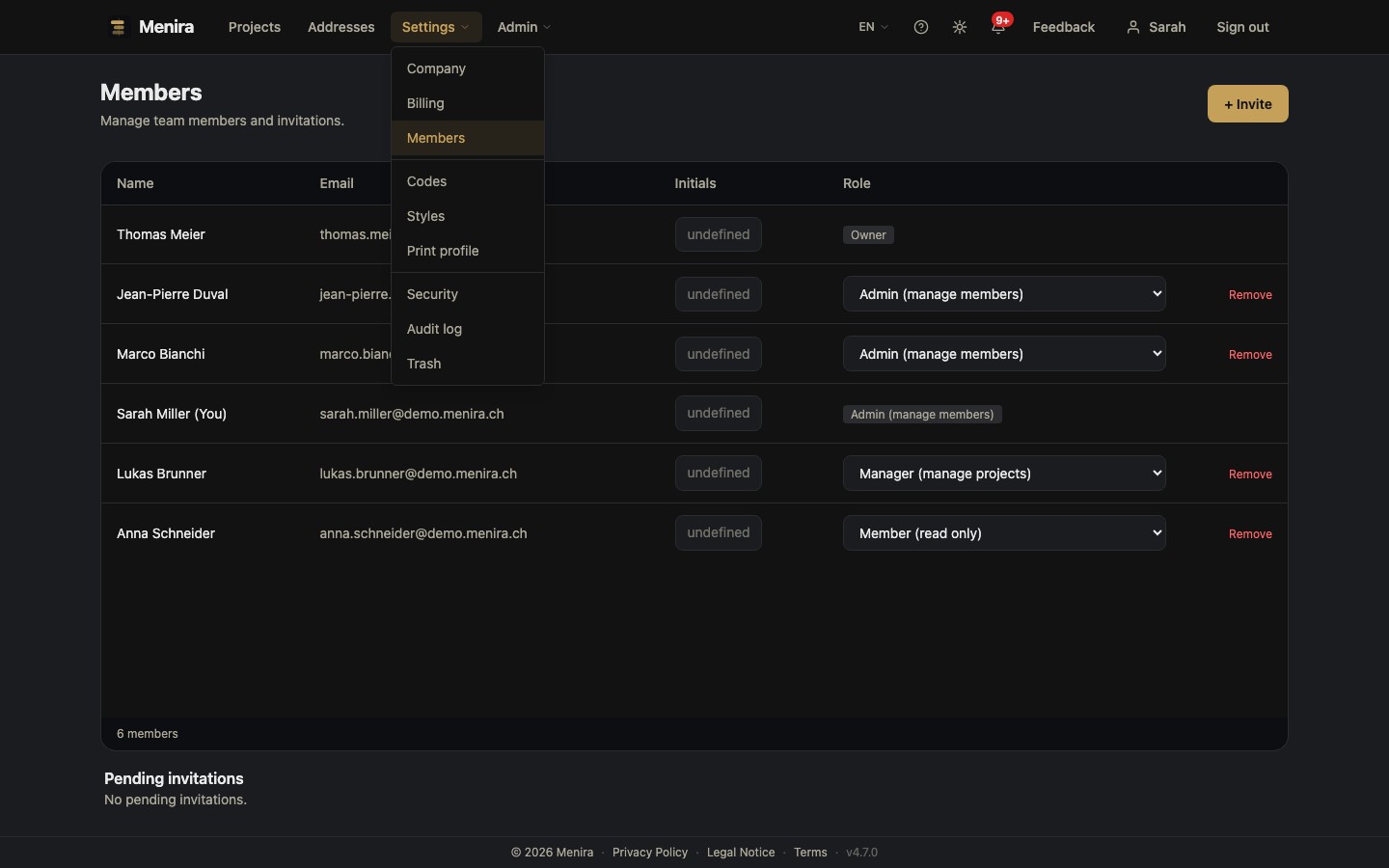
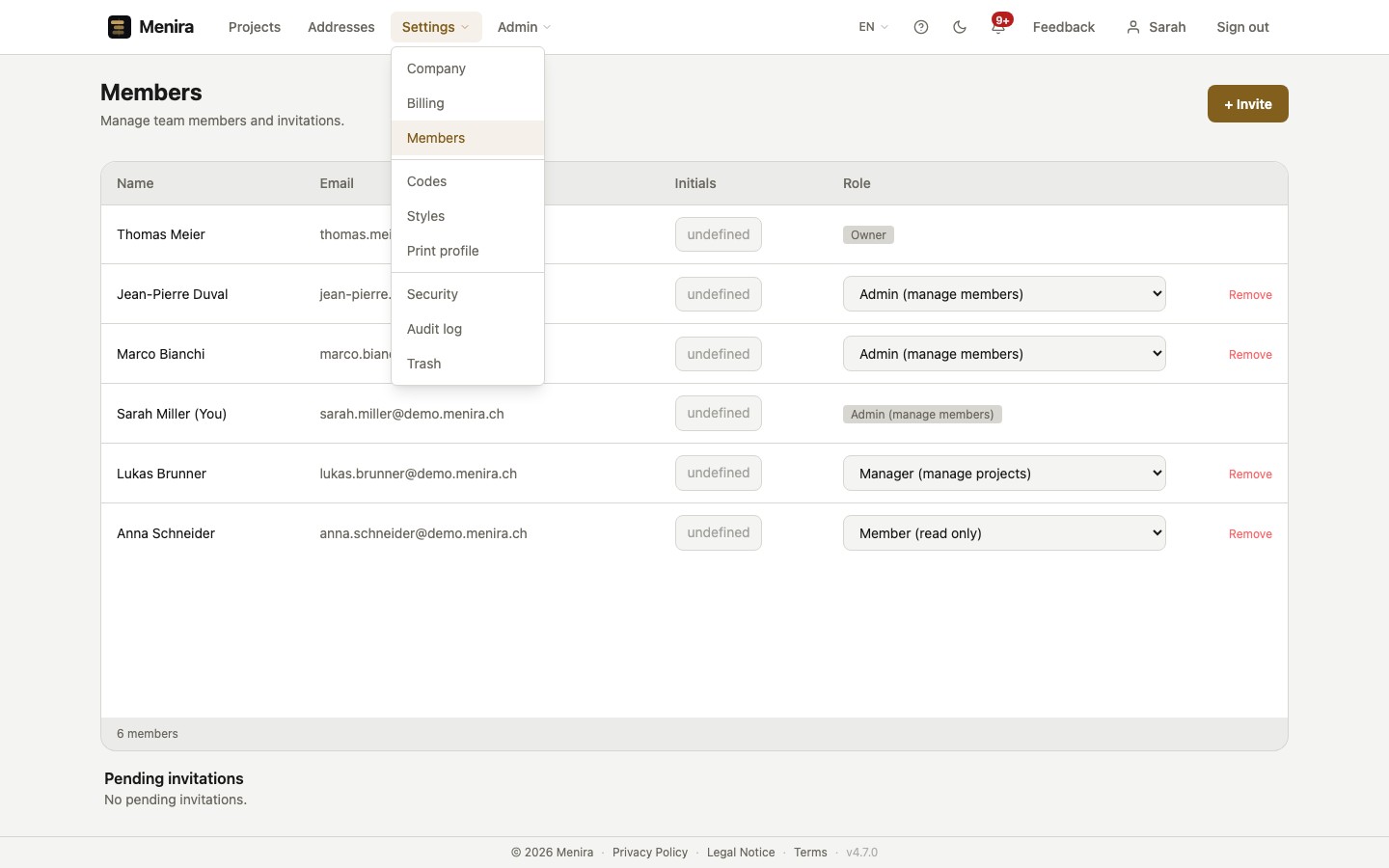
Several people work on the same schedule, one after another. Roles determine who may make changes. Whoever opens a schedule for editing holds it for the duration of their work – the others can see who is working on it, and no change overwrites another.
Swiss diligence
Your project data stays where it belongs.
Hosted in Switzerland
Your project data is on servers in Switzerland.
Backed up several times a day
We back up your data several times a day – encrypted and stored in Europe.
Encrypted transfer
Every connection is encrypted via SSL/TLS.
GDPR compliant
Data protection to European and Swiss standards.
With the Swiss cost classification
Import your cost classification and assign your tasks to cost groups and trades – the order in the schedule still follows the construction sequence, and everyone involved speaks the same language.
The classification is imported once – then it's ready in every one of your projects.
More in the glossary: Swiss cost classification
Choose your plan.
Cancel anytime. No hidden costs.
You pay for projects, not per person. Users are unlimited from the Starter plan onwards – a growing team costs no more.
Free
- 2 Projects
- 1 Users
- Project archive
- BauPlus Import
- PDF with watermark
Starter
- 5 Projects
- Unlimited users
- Project archive
- BauPlus Import
- PDF with Menira logo
- Email support
Pro
- 15 Projects
- Unlimited users
- Project archive
- BauPlus Import
- PDF with Menira logo
- Priority support
Max
- 40 Projects
- Unlimited users
- Project archive
- BauPlus Import
- Whitelabel PDF
- Priority support
Enterprise
- Unlimited projects
- Unlimited users
- Project archive
- BauPlus Import
- Whitelabel PDF
- Dedicated support
Three levels, one plan.
On site, people do not work with one schedule but with three. They do not replace each other – each answers a different question.
-
Project programme
The overarching frame across all project phases – from feasibility study to handover into service.
-
Master construction programme
The entire construction process on one plan, with the milestones of the realisation phase.
-
Weekly programme
Short-term fine control on site – who works where and on what over the coming weeks.
Menira is built for the two upper levels: tasks and milestones across months or years, with dependencies, critical path and company holidays as periods in their own right. The timeline can run in calendar weeks – the unit of time used on site. Related tasks can be bundled into collapsible groups, up to four levels deep – as a summary line across the period or as a plain heading.
More in the glossary: Master construction programme Weekly programme Schedule programme
Frequently asked questions
Can I bring an existing schedule across?
Who is Menira designed for?
How does billing work?
What happens to my schedules if I cancel?
Where is my data stored?
Is there a free trial?
What happens when a date shifts?
What paper size can I print on?
Can several of us work on the same schedule?
Because a construction schedule has to hold.
A schedule is a promise: to the client, to the trades, to yourself. It becomes binding, however, not because it was circulated, but because it was agreed or approved. Menira keeps that schedule readable, even when something shifts – so complexity becomes clarity and a deadline stays something you can rely on.